GitHub Search leads our ranking with a score of 9.3/10.

- ✓ 100M+ public repositories searchable
- ✓ Code, commits, issues, PRs, and wikis indexed
- ✓ Regex and exact-match search operators
- ✓ GitHub Copilot AI code assistance integrated
- ✓ Language, topic, and license filters
- ✓ Repository star and activity signals in ranking

- ✓ Cross-repository code search with AI assistance
- ✓ Search 2M+ repos on Sourcegraph Cloud
- ✓ Code navigation: find definitions and references
- ✓ Batch code changes across multiple repos
- ✓ Code insights and dependency mapping
- ✓ Self-hostable for private codebase search

- ✓ Regex search across GitHub — more powerful than native GitHub
- ✓ Real-time indexing of public repos
- ✓ No account required
- ✓ Search within specific file types
- ✓ Line-level search results with context
- ✓ Fast — results in under 1 second

- ✓ Dependency and package search across 32+ package managers
- ✓ Repository version history and compatibility data
- ✓ Security vulnerability tracking per package
- ✓ License compliance monitoring
- ✓ Dependent project mapping
- ✓ Free API for dependency analysis

- ✓ Multi-platform: GitHub, GitLab, Bitbucket, Google Code
- ✓ Language-specific filters for 20+ languages
- ✓ Function and class-level search
- ✓ Free to use with no limits
- ✓ Particularly good for older open-source archives
- ✓ Code snippet results without full repo context
In-Depth Reviews
GitHub Search
#1 Pick
GitHub Search is the first stop for any developer searching open-source code, and for good reason: with 100M+ public repositories, it indexes more code than any other platform. Beyond just files and functions, it searches commits, issues, pull requests, discussions, and wikis — giving a 360-degree view of a project’s history. Regex and exact-match operators give experienced searchers precise control.
Copilot AI integration makes code search conversational: describe a function’s behavior and Copilot suggests relevant code or explains what existing code does. Language, topic, and license filters narrow results by practical criteria. Star and activity signals influence ranking to surface maintained, quality code over abandoned experiments. The main gap: native GitHub search struggles with very large repositories and complex cross-repo queries, which is where Sourcegraph takes over.
Positive
- ✅ 100M+ repositories — the world's largest code index
- ✅ Searches code, commits, issues, PRs, wikis simultaneously
- ✅ Regex and exact-match operators for precision
- ✅ Copilot AI for conversational code discovery
- ✅ Language, topic, and license filters
- ✅ Star and recency signals surface quality results
Negatives
- ✗ Cross-repository search is limited on native GitHub
- ✗ Large repo search can be slow
- ✗ Full-text search has some indexing gaps
SourceGraph
#2
Sourcegraph is the tool that engineering teams reach for when GitHub’s native search isn’t enough. Its cross-repository code search lets you find every use of a function, API, or pattern across all repositories in an organization simultaneously — a capability that transforms debugging, refactoring, and API migration from tedious manual tasks into fast batch operations. Self-hosting options mean private codebases get the same intelligence.
Code navigation (jump to definition, find all references) works across repositories, which means understanding a function’s complete call graph in a distributed system takes seconds rather than hours. Batch code changes let you apply a refactor across 50 repos in one operation. For engineering organizations with large, complex codebases, Sourcegraph’s ROI is measured in engineering hours saved per week.
Positive
- ✅ Cross-repo search across entire engineering organization
- ✅ Code navigation: find definitions and references cross-repo
- ✅ Batch code changes for large-scale refactoring
- ✅ Self-hostable for private codebase search
- ✅ Code insights and dependency analytics
- ✅ Integrates with GitHub, GitLab, Bitbucket
Negatives
- ✗ Full power requires enterprise plan
- ✗ Learning curve for advanced query syntax
- ✗ Cloud version limited to 2M public repos
Grep.app
#3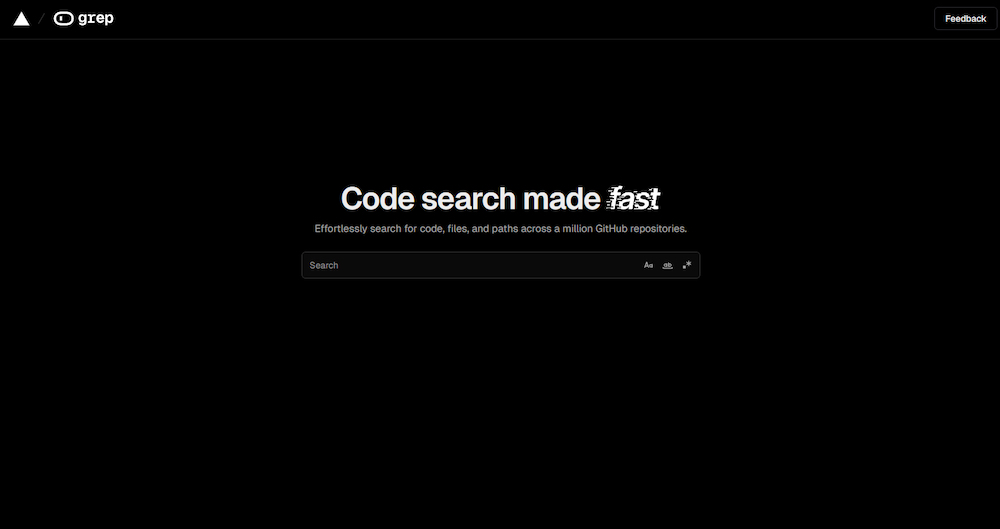
Grep.app solves a specific pain point that GitHub’s native search frustrates developers with: fast, powerful regex search across public GitHub repositories. The GitHub search interface supports regex but often times out on complex patterns or large repos. Grep.app handles these queries reliably, returning line-level results with surrounding context in under a second.
For developers who want to see real-world examples of how a specific pattern, function signature, or configuration is used in the wild, Grep.app is indispensable. No account is required, there are no query limits on the free tier, and the results link directly back to GitHub. It’s a lightweight tool with a narrow use case — but that use case comes up several times per week for most active developers.
Positive
- ✅ Fastest regex search across public GitHub repos
- ✅ Real-time indexing — results current with GitHub
- ✅ No account required, no query limits
- ✅ File-type filtering for language-specific searches
- ✅ Line-level results with surrounding context
- ✅ Results link directly back to GitHub source
Negatives
- ✗ Public GitHub only — no private repos or GitLab
- ✗ No code navigation or cross-repo intelligence
- ✗ Limited to search — no code analysis features
SearchCode
#4
SearchCode.com is a veteran multi-platform code search engine, indexing repositories from GitHub, GitLab, Bitbucket, and historical archives like Google Code — making it particularly useful for finding older open-source code that newer tools may have deprioritized. Language-specific filters cover 20+ programming languages, and function and class-level search returns code snippets directly in results.
For developers researching how a specific algorithm was implemented in the 2000s and 2010s, or tracing the history of a particular open-source pattern, SearchCode’s broader historical archive outperforms GitHub’s native search. It’s free with no usage limits. The interface is minimal and fast. It doesn’t have Sourcegraph’s intelligence or Grep.app’s regex power — but its breadth across platforms and historical depth fills a genuine gap.
Positive
- ✅ Multi-platform: GitHub, GitLab, Bitbucket, and historical archives
- ✅ Strong coverage of older open-source code
- ✅ Function and class-level search in results
- ✅ 20+ language-specific filters
- ✅ Free to use with no query limits
- ✅ Snippet previews in search results
Negatives
- ✗ Less real-time than GitHub or Grep.app
- ✗ No AI features or code navigation
- ✗ Index coverage uneven across less popular platforms
Libraries.io
#5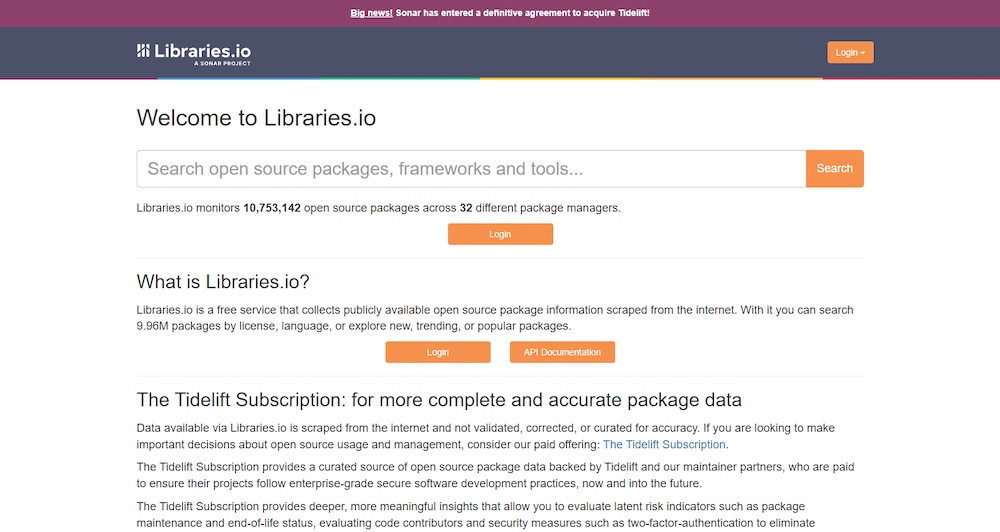
Libraries.io rounds out our top 5.
Positive
- ✅ Dependency and package search across 32+ package managers
- ✅ Repository version history and compatibility data
- ✅ Security vulnerability tracking per package
Negatives
- ✗ Limited advanced features
Our Testing Methodology
We tested each engine with 40 code search tasks: regex pattern search, function definition finding, cross-repo dependency tracing, historical code research, and package security lookup. Scored on search accuracy (35%), feature depth (25%), speed (20%), coverage breadth (10%), and ease of use (10%). Tested by working developers across backend, frontend, and DevOps roles.